A suspected compromise on an old machine—and several incidents where AI agents printed secrets into their sessions—made me rethink how local credentials should be stored, delivered, and audited.
An Embarrassing Incident

GuestSafe began with a somewhat embarrassing experience: an old machine of mine may have been compromised almost by accident.
I had given the machine to a family member. One day in late July, they told me they might have accidentally run a malicious shell command. Fortunately, I had already moved the most sensitive material elsewhere, and the machine had account-level isolation. But we still could not establish the blast radius. Did the command affect only the current account? Could it read credentials left elsewhere on the machine? Had it established persistence? Which keys might have been exposed?
In the end, we chose the most direct response: wipe the entire machine and rotate every key.
That removed the immediate uncertainty, but it did not answer the question I actually cared about. Because credentials were scattered across files, tools, and processes, I had no trustworthy record of which secrets the machine had accessed during the relevant period. I could not draw a defensible boundary around the incident, so I had to treat every plausible exposure as the worst case.
That experience made me wonder: what if I had a local, auditable credential manager specifically for AI agents? At a minimum, I could know which secret version the daemon had delivered, to which OS principal, at what time, and for what stated purpose. It would not prove that the machine had never leaked anything, but it could give me a concrete rotation checklist after an incident.
When Secrets Started Appearing in AI Sessions
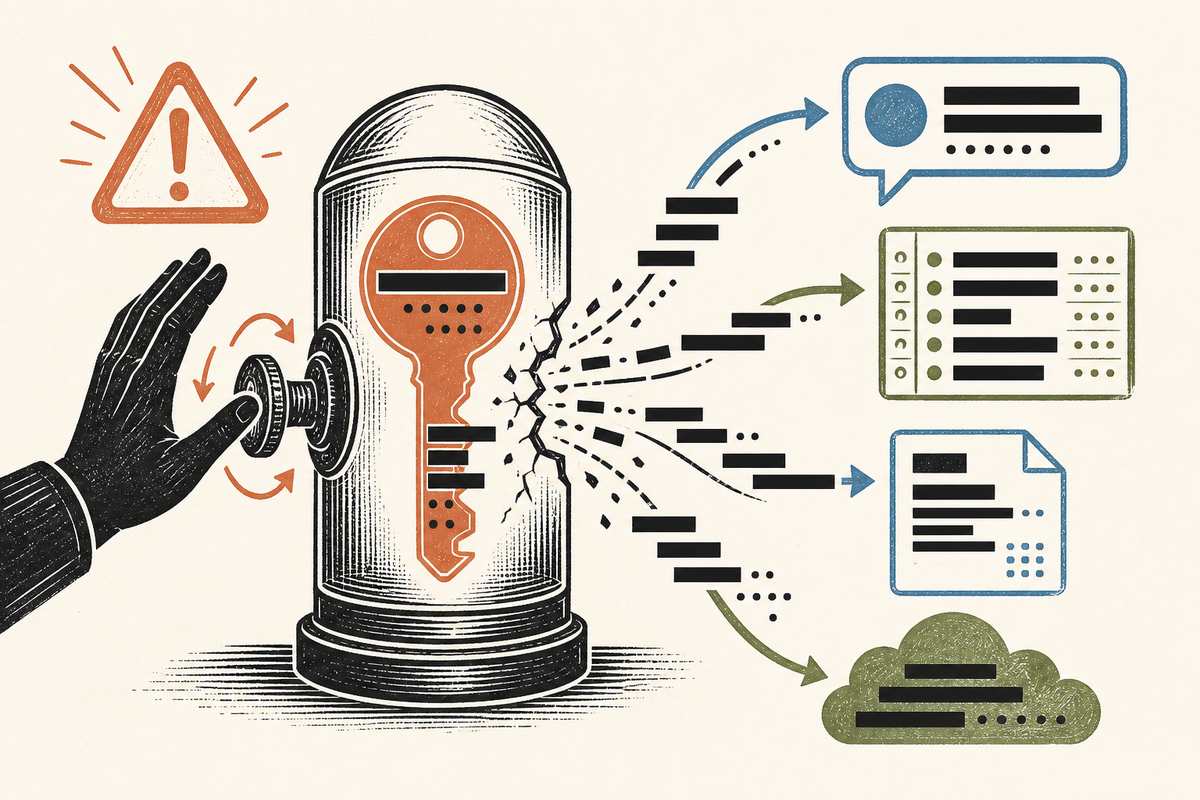
The old-machine incident was not the only trigger. Another deeply uncomfortable problem kept recurring: agents in my Claude sessions would print secret environment values directly into the conversation.
This was not a one-off mistake. I saw it happen with Opus 4.8, Opus 5, and Fable 5, and I saw it more than once. While debugging a problem, displaying the environment, or explaining command output, an agent would copy a credential that should have existed only in a process environment straight into the session. Once I noticed, I had to rotate it immediately. Worse, sometimes I could not tell how far it had already spread.
At the very least, I could see that the secret had entered the session record. It might also have appeared in a local transcript, log, temporary file, or debugging output written by the agent. I do not have enough information to say with certainty whether or how that data was transmitted or retained farther down a remote path. That uncertainty is exactly the problem: once a secret enters model-facing text, it becomes very difficult to prove that it stayed in only one place.
Giving an agent a credential should not mean showing it a string and then trusting it to handle that string correctly. A better default path would be: the agent requests a named, documented credential; a daemon authorizes the request; and the value is injected into a target child process through a controlled delivery path. The secret should not be printed to stdout, a log, or model context first.
This is still not absolute protection. A malicious process authorized to receive a credential can deliberately print or exfiltrate it. But the normal path no longer encourages secrets to pass through shell history, chat text, and intermediate files, and every request, decision, and delivery can leave the same kind of audit record.
The Existing Tools All Fell Just Short
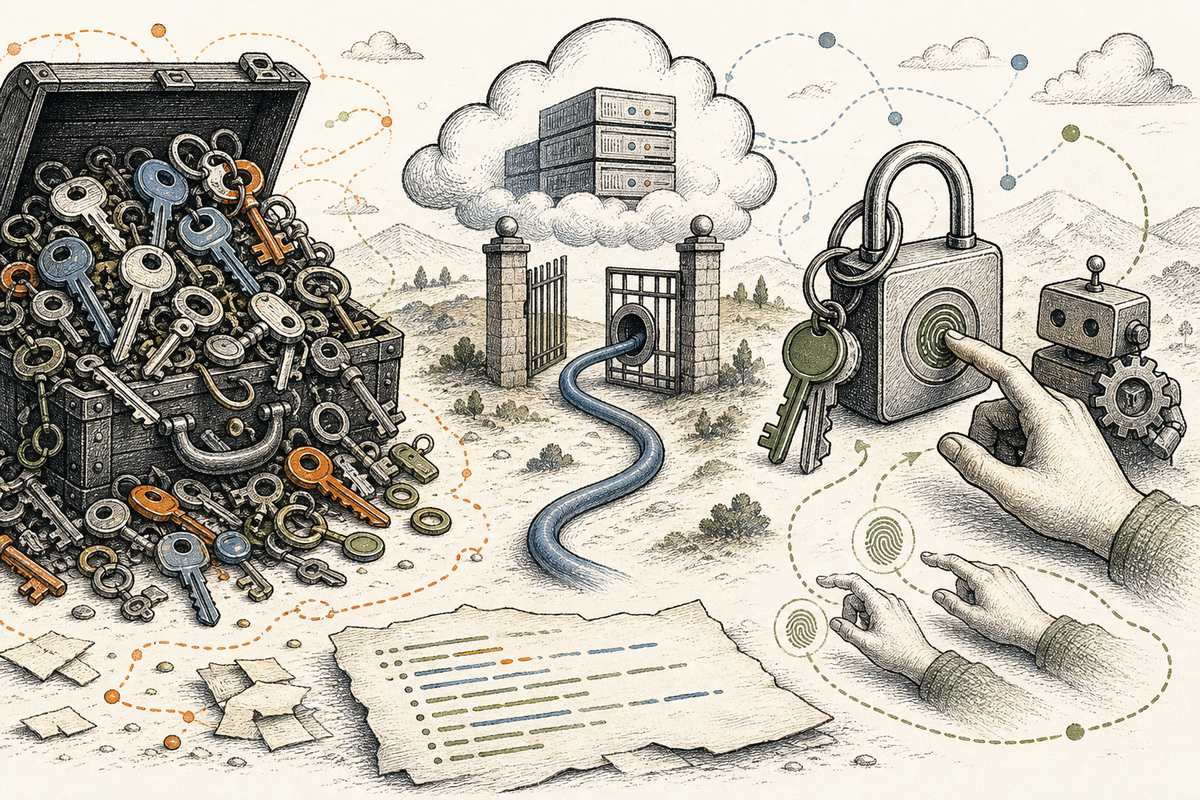
I have used several password and credential managers. Each solves part of the problem, but none quite fits the way I run multiple AI agents on one local machine.
I also wrote a separate, much more technical field survey of local-first secret tooling for AI agents. That survey asks what exists and how the security boundaries work. This article is about the more personal question it left me with: why did I still want to build GuestSafe?
1Password Business: Automatable, but Not My Local Audit Boundary
I already use 1Password Business, and it contains nearly all of my sensitive personal entries. It is my “under-the-bed” vault. Its CLI supports op run, op read, and op inject, and service accounts can be restricted to specific vaults. The issue is not a lack of Business features. It is that I do not want local agent credentials to share a trust domain with the vault holding almost everything else.
1Password also has item-usage reports and an Events API, but the semantics do not match the local audit boundary I want. Its published actions do not turn every list, denial, declared reason, project context, and delivery outcome into one synchronous local record before the operation completes. Some usage events appear only after a client syncs. A separate 1Password organization would improve isolation, but it would still not be local-first or open source, and it would not change those audit semantics.
GuestSafe could eventually support 1Password as an optional backend. But that would be an integration, not the local trust boundary itself.
Infisical: I Do Not Always Want a Local Problem to Become an Online-Service Problem
Infisical supports projects, environments, paths, machine identities, and self-hosting. It makes sense for teams and server environments. For a handful of local agent credentials, however, its normal workflow still introduces an Infisical instance, authentication, service configuration, and often a network dependency. Some credentials are not things I want to upload to a third party, and I do not want to maintain a multi-service deployment merely to replace several local reads and writes. The capabilities I care about most—especially audit—also cross product and paid-tier boundaries.
OpenBao: The Closest Existing Option—and Much More Than I Need
OpenBao is the strongest comparison. It is open source, can be fully self-hosted, has path-and-capability policies, and records API requests and responses—including errors—with a fail-closed audit design. Its Agent even has a Process Supervisor Mode that can inject secrets into a child process.
So the problem is not that OpenBao is weak. It is that OpenBao is a full secrets infrastructure platform. Since version 2.4, declarative self-initialization and audit configuration have removed some manual setup. But a durable unattended deployment still requires choices about unsealing, identity, storage, listeners, TLS, authentication, token and lease lifecycles, policy, audit devices, backups, and upgrades. The tempting bao server -dev shortcut is deliberately insecure and loses its in-memory data on restart.
That complexity buys high availability, dynamic secrets, leases, PKI, many authentication backends, and infrastructure-scale credential lifecycles. GuestSafe V1 needs almost none of those things. Wrapping OpenBao would also leave me operating two daemons, two identity or token systems, and two audit systems.
I do not want GuestSafe to become a smaller OpenBao, and I am not trying to persuade teams that need OpenBao to replace it. OpenBao is a serious design reference. The thing GuestSafe aims to replace is .env.local: a good-enough, lightweight, local-first, auditable secret-delivery path for local AI agents—ideally installed with one command instead of an entire secrets infrastructure stack.
macOS Keychain: Strong Protection, Awkward Automation
macOS Keychain’s security model is not wrong. Items can require user presence, and the interface distinguishes between “Allow Once” and “Always Allow.” In my agent workflow, that often means Touch ID, an account password, sudo, or another access-confirmation prompt. “Allow Once” interrupts unattended automation, while “Always Allow” creates a long-lived authorization.
With my locally self-built OpenClaw instance, the experience became almost absurd. Keychain does not trust a human-readable app name; it tracks a trusted application through its code-signing requirement. A local rebuild can change that identity, so the previous “Always Allow” no longer applies and macOS asks again.
The simplified prompt does not clearly show the binary’s code-signing identity, designated requirement, or signature fingerprint. From my side, successive builds looked nearly identical. I could not see why the previous approval had stopped applying, or tell from the prompt alone whether I was approving an expected rebuild or a binary that should not be trusted. The mechanism felt both brittle and opaque.
My eventual compromise was to put some values in .env.local, or encrypt them and write them to disk. It works, but it has no scope, no unified audit trail, and no catalog. An agent does not know which credentials exist or how each should be used. As soon as it starts searching the environment and files, a secret can end up in the session again.
I Am Not Trying to Build a Perfect Password Manager
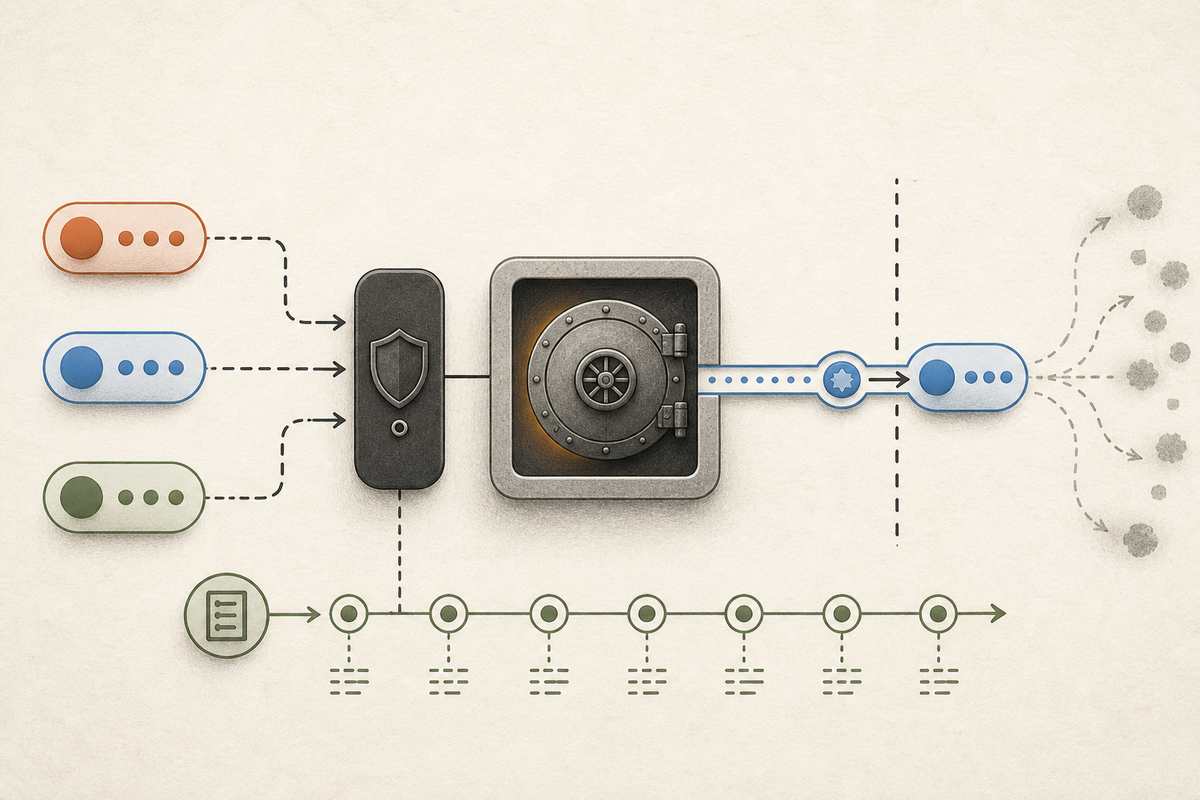
Put simply: GuestSafe is not a smaller OpenBao. It is a lightweight, auditable .env.local replacement built for AI agents.
GuestSafe is meant to solve a narrower problem: let AI agents use credentials prepared specifically for them on one local machine, while reducing both the default exposure surface and the uncertainty left after an incident. “Good enough” is a deliberate product choice. V1 does not need high availability, PKI, dynamic secrets, or complex multi-tenancy. It needs to make discovery, authorization, delivery, and auditing of local static credentials simple and dependable.
The core experience I want is:
- Local-first: Secrets, policies, and audit records stay on the machine. The core flow works offline and uploads no value or metadata by default.
- A separate trust domain: GuestSafe does not replace a personal password manager and does not hold production credentials. It exists only for local agent automation.
- Discoverable without disclosure: Through
listanddescribe, an agent can see the names, purposes, and injection methods of secrets it may discover, but never their values. - Every action is audited: Reads, writes, lists, policy changes, approvals, denials, failures, and delivery attempts all produce an action record before the daemon returns a result.
- Scope and reason: Every use carries requester-supplied context, while the daemon separately records the verified OS principal and policy decision.
- No model-facing text by default: The daemon injects credentials into a child process environment or a controlled file path instead of printing them for the agent first.
- Automation after preauthorization: Routine, previously authorized calls should not require Touch ID, sudo, or manual confirmation every time.
- Built for incident response: Given a suspected compromise time, the CLI can list the credential versions the daemon is known to have delivered, providing a starting point for rotation.
GuestSafe is certainly not perfect. I am still figuring out where the risk boundary for local agents should be drawn.
Several agents may share the same macOS UID, so the daemon cannot reliably determine which model session made a request. Project, scope, and reason are therefore context, not trustworthy identities: a malicious requester can lie. Once a process receives a complete credential, GuestSafe cannot prove that it used it only for the declared purpose. And if root or GuestSafe’s own service identity is compromised, a same-machine audit trail cannot prove that its history was not rewritten wholesale.
Those limits do not make the project worthless, but they determine how I should describe it. GuestSafe is not a promise that secrets will never leak. It is a narrower, more observable delivery path. Its goal is to reduce the chance that a secret accidentally enters model context, shell history, or scattered files—and to leave behind evidence more useful than .env.local when something goes wrong.
I want the daemon, CLI, policy engine, storage format, and audit verifier to be open source. A security boundary and its fail-closed behavior should not be understandable only through a vendor’s claims. Before release, I still need to choose an explicit license; until then, “source visible” is not legally the same as open source.
I would genuinely like feedback. How would you define the trust boundary of a local AI agent? Which audit fields actually help during incident response? Should scope remain a policy label, or should GuestSafe eventually become an API broker? Which actions must require human confirmation without sacrificing unattended automation?
Comparing the Options
This table compares one narrow use case: giving local AI agents access to a small set of credentials. It does not compare the products’ overall breadth. The table is deliberately boolean: ✅ means the option natively meets GuestSafe’s strict semantics in the deployment described here. ❌ means that it does not, or that doing so requires another wrapper, another service, or a looser definition. The GuestSafe column is a design target, not a completed security audit.
| Capability | GuestSafe (design target) | OpenBao (local) | Existing 1Password Business | Separate 1Password Business org | Infisical Cloud | Infisical self-hosted core | macOS Keychain | .env.local / encrypted files |
|---|---|---|---|---|---|---|---|---|
| Local-first | ✅ | ✅ | ❌ | ❌ | ❌ | ✅ | ✅ | ✅ |
| Works offline | ✅ | ✅ | ❌ | ❌ | ❌ | ✅ | ✅ | ✅ |
| Supports unattended agents | ✅ | ✅ | ✅ | ✅ | ✅ | ✅ | ❌ | ✅ |
| Separate agent trust domain | ✅ | ✅ | ❌ | ✅ | ✅ | ✅ | ❌ | ❌ |
| Scope + reason on every request | ✅ | ❌ | ❌ | ❌ | ❌ | ❌ | ❌ | ❌ |
| Every action and denial is audited | ✅ | ❌ | ❌ | ❌ | ❌ | ❌ | ❌ | ❌ |
| Fails closed when audit is unavailable | ✅ | ✅ | ❌ | ❌ | ❌ | ❌ | ❌ | ❌ |
| Controlled child-process injection | ✅ | ✅ | ✅ | ✅ | ✅ | ✅ | ❌ | ❌ |
| Core path is open source | ✅ | ✅ | ❌ | ❌ | ❌ | ✅ | ❌ | ❌ |
OpenBao receives a ❌ for “Every action and denial is audited” only because this strict definition includes every administrative path, while OpenBao excludes a small number of initialization, seal, unseal, health, and Raft paths. Its coverage of the remaining requests and responses is much stronger than one boolean can convey. GuestSafe’s final open-source ✅ likewise depends on adding an explicit license.
Editorial disclosure: This article is based on my own experience and dictated notes. I used Codex to organize the draft, research sources, and edit the English; I reviewed and revised the final text.
Sources and Further Reading
- GuestSafe companion research — Local-First Secrets for AI Agents on macOS: A 2026 Field Survey
- 1Password Developer — Load secrets into scripts, Service Accounts, and item usage actions
- Infisical — CLI Quickstart and domain configuration and Cloud or Self-Hosted
- OpenBao — policies, audit devices, Process Supervisor Mode, declarative configuration, self-initialization, and dev mode limitations
- Apple — Keychain data protection, Keychain access prompts, code-signing requirements, and TN3127